

Create a site
This page shows you how to create a site — your own hosted Zinye app, reachable at a web address like yourcompany.zinye.com. A new site is ready in a few minutes and starts on a free trial.
Create your site
Section titled “Create your site”- In the left menu, click Sites, then click New Site.
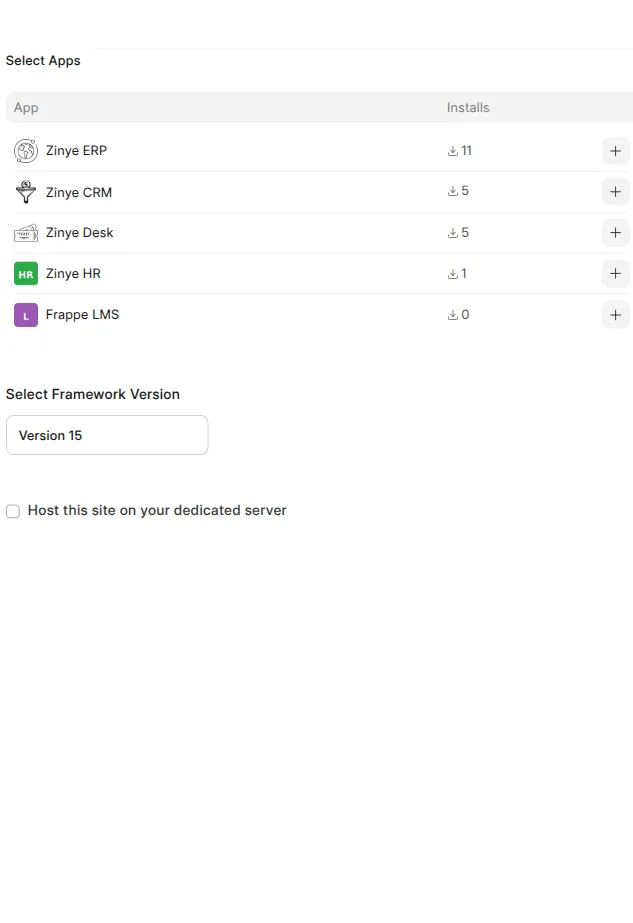
- Select Apps — pick the app you want to host and click the + next to it:
- Zinye ERP — accounting, inventory, sales, operations
- Zinye CRM — leads and deals
- Zinye Desk — support tickets
- Zinye HR — people and payroll
- Select Framework Version — choose the version (pick the latest unless you have a reason not to).
- Select Provider and Region — choose Hetzner and Falkenstein (Germany).
- Select Plan — pick a monthly plan based on how much you’ll use the site. The smallest plan is fine to start; you can change it later.
- Enter Subdomain — type a name. Your site’s address becomes
yourname.zinye.com. - Tick the agreement checkbox, then click Create.
Your site provisions in a few minutes. When it shows Active, open it with the Visit Site button at the top of the site page.
What you get on a trial
Section titled “What you get on a trial”Every new site starts with a free trial. During the trial your site is fully working. Before it ends, make sure a payment method is on file so the site keeps running — see Plans & billing.