

Account & security
This page shows you how to keep your Zinye Cloud account secure and up to date. You’ll find all of these under Settings → Profile.
Update your profile
Section titled “Update your profile”In the left menu, click Settings and stay on the Profile tab. Click Edit to change your name or photo.
Turn on two-factor authentication (2FA)
Section titled “Turn on two-factor authentication (2FA)”Two-factor authentication adds a second step when you log in, so your account stays safe even if someone learns your password. We strongly recommend turning it on.
- Go to Settings → Profile.
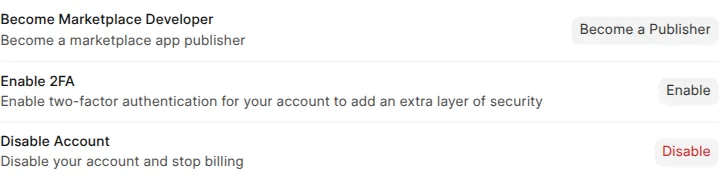
- Find Enable 2FA and click Enable.
- Scan the QR code with an authenticator app on your phone (such as Google Authenticator or Authy).
- Enter the 6-digit code from the app to confirm.
From then on, you’ll enter a code from your app each time you log in.
Notification settings
Section titled “Notification settings”Under Notification Settings, click Manage to choose how Zinye Cloud reaches you — for example about billing or important changes to your sites.
Closing your account
Section titled “Closing your account”The Disable Account option stops billing and closes your account.